|
Rik Strobbe, ON7YD, has written a Windows program to send extremely slow CW, a mode which has been used with much success on the noisy LF amateur band in Europe. Instead of measuring code speed in words per minute, though, experimenters have been using speeds that translate to minutes-per-word. The resulting very low information bandwidth enables communication under extremely difficult conditions.
Of course, bandwidths of a fraction of a Hertz are not practical to copy by ear. Many of our readers are familiar with Richard S. Horne's "Spectrogram" program, which now has provisions for copying extremely narrowband transmissions (see our File Library section), but Rik has devised the first Windows tool for keying QRS transmissions.
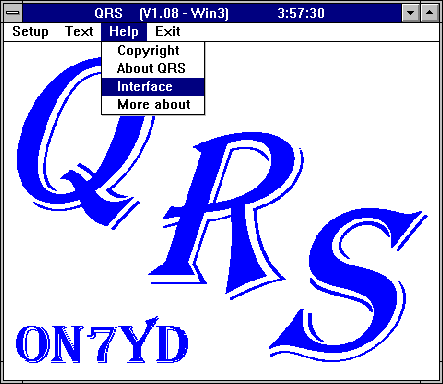
The program is named QRS for the Q-signal indicating to send at a slower speed (and also happily includes Rik's own initials). Speeds are selectable down to minutes per dot. To boost transmission speed while retaining the advantages of narrowband detection, options for dual frequency keying and different mark/space aspect ratios have also been made available in later versions of the software. The user can store several text messages for transmission, either repeated a predetermined number of times, or endlessly.
|
Revision History:
***** Changes from version 3.11 to 3.17 (May 2002) *****

1. Bug fix for unpredictable behaviors when using QRS for long term
   beaconing.  Thanks for the help of Jim (MØBMU)

***** Changes from version 3.10 to 3.11 (December 2001) *****

1. Non fatal bug that caused endless repeating of start-id at speeds of
   9 WPM and up cured (bug reported by G3YXM)

***** Changes from version 3.05 to 3.10 (December 2001) *****

1. Possibility to swap the function of the DTR / RTS lines in order to make
   QRS compatible with all kinds of interfaces. (suggestion of G3JKV)

2. Possibility to insert a fast CW identification in test mode, this allows
   testing in accordance to national regulations. (suggestion of G3JKV)

3. Use of a parallel port (LPT1 or LPT2) as alternative to the serial port,
   this allows the use of PC's where all serial ports are occupied by the
   mouse, TNC etc ...
   Be aware that the use of the parallel port might not work under Win2000
   and up. (suggestion of OM2TW)

4. Available COM ports limited to 9 (was 16) for practical reasons.

5. Fast CW id. now available at speeds of 6, 9, 12 and 15 WPM. At speeds
   of 9 WPM and faster more accurate timing is used. This is resulting in a
   better CW quality but can also lead to 'gaps' is the soundcard datastream
   (if DSP receiving software is used simultaniously). Since this will only
   occur during transmission this will most likely not be harmfull. The 6 WPM
   speed runs still under the old timing routine and will not interfere with
   the soundcard datastream.

6. Possibility to ommit the 'reduntant' gaps between 2 subsequent dots or
   dashes. This will result in a very limited increase in data rate, but
   might be worth it at very slow speeds. (suggestion of G3AQC)

7. Some minor 'cosmetics'.

***** Changes from version 2.05 to 3.05 (March 2001) *****

1. Maximum dotlength extended from 1 minute to 1 hour :
   Recent transatlantic tests have shown that there is a need for very long
   dotlengths.

2. More accurate timing :
   Slight timing errors (few milliseconds) are inherent to the multi-tasking
   functionality of Windows. But these timing error are now corrected after
   every dot/dash to avoid a summing of errors.

3. half space (between characters) option added in DFCW mode, this will speed
   up an average QSO by 10% compared to single space. (suggestion of G3AQC)

4. Fast CW facilities (including beacon mode) abandoned, as fast CW made
   things complicated with the accurate timing. But the start and stop
   identification (at 6 or 12WPM) can still be used for fast CW beaconing.

5. Non fatal bug in the QSK routines cured. (reported by M0BMU)

6. Improved error handling :
   - error message if gap exceeds dotlength in DFCW mode. (reported by G3AQC)
   - error message if text length exceeds repeat time. (reported by M0BMU)

7. Cured a 'cosmetic bug' in the text window. (reported by ZL4OL)

8. Some changes in the repeat function. (suggestions of G3AQC, M0BMU, ZL4OL)

9. Some minor 'cosmetics'.

***** Changes from version 1.17 to 2.05 (May 2000) *****

1. DFCW mode added :
   Dual Frequency CW (DFCW) uses 2 different frequencies for the 'dash' and
   'dot' of CW-code. DFCW will result in a 250% to 330% faster transmission
   rate compared to traditional QRS CW (QRSS), since 'dash' and 'dot' can
   have the same length (of 1 'dot'), the spaces within a character can be
   ommited and the inter-character and inter-word spaces can be shorter.
   This allows either much shorter QSO's or the use of a longer dotlength.
   The DTR line of the COM-port that is used for PTT in QRSS mode is used for
   keying the frequency shift in DFCW mode. A 'high' on DTR represents a
   'dash' (highest frequency in DFCW), a 'low' on DTR represents a 'dot'.
   The RTS line is used for keying the TX in both modes.
   To simplify the implementation of FSK in DFCW mode selection can be made
   between :
   - normal  : DTR high = 'dash' / DTR low = 'dot'
   - reverse : DTR high = 'dot' / DTR low = 'dash'
   To make the visual decoding of DFCW signals easier a 'gap' between the
   dots can be added. This 'gap' is a short period of 'key up'.
   The 'gap time' is subtracted from the 'dot time', so the overall dot
   period remains unchanged. Eg. if you set a dot period of 4s and a key gap
   of 1s the actual 'key down' period of each dot will be 3s and all dots
   will be separated by a 1s 'key up' period.
   FSK is executed at the end of 'key down' (at the beginning of the 'gap
   time'). So the 'gap time' can also be used if a PLL-VFO needs some time
   to lock to the new frequency. This way you can avoid excessive bandwidth
   of the DFCW signal.
   The FSK tones can be made available at the internal speaker to be used to
   modulate a SSB transmitter. The tones for 'dot' and 'dash' can be
   seperately set in the range of 100 to 3000Hz. Be aware that the signal
   you get at the internal speaker is a 5V square wave, so it is far to
   strong to be sent directly into the microphone input of a SSB transmitter
   and also contains a lot of harmonics. It has to be attenuated and
   eventually filtered. The use of relatively high frequencies (above 1.5kHz)
   will also reduce the harmonic contents that are transmitted as frequencies
   above 3kHz will not pass through the SSB-filter of the transmitter.
   Also be aware of the fact that you not just can remove the speaker (to get
   rid of the noise) but replace it by a resistor (22 Ohms / 2 Watt) and that
   the frequencies generated by the PC are not 100% accurate.

2. The characters BK (type %) and CT (type *) added to the characterlist.

3. 'CW ID' added :
   All QRSS and DFCW transmissions can be started and/or ended with an
   identifier text at 6 or 12 WPM CW. This allows clear identification of
   QRSS and DFCW transmissions.

4. Disabled the possibility to change speed and text during transmission as
   this can mess up things. (reported by G0MRF)

***** Changes from version 1.16 to 1.17 (July 1999) *****

1. Non fatal bug that caused incorrect dashes with dot length over 6400ms
   cured. (reported by G0AKN)

2. Non fatal bug that caused incorrect warning signals if a text was repeated
   cured. (reported by IK1ODO)

3. Non fatal bug in selection of text cured.

4. Minimum dot time reduced from 500ms to 100ms. (suggestion of IK1ODO)

5. Non fatal bug that limited the number of repetitions to 256 cured.
   (reported by N4ICK)

6. Sidetone option added. (suggestion of N4ICK)

7. Beacon mode added :
   This mode allows to add a number of dashes at the end of the text.
   (suggestion of N4ICK)

***** Changes from version 1.08 to 1.16 (February 1999) *****

1. Test mode added (suggestion of G0AKN) :
   Ability to push and release PTT and key for test and tune purposes.

2. QSO mode added :
   Since QRS is used in combination with ARGO, Spectogram, Spectrum Lab,
   etc ... the QSO mode allows optimal use of the screen in combination with
   receiving software. It also allows a text of max. 70 characters to be
   edited and transmitted in a single window.

3. QSK facilities added :
   QSK allows you to listen (watch) during your transmission.
   Following parameters can be set :
   - enable/disable QSK facility
   - minimum time required to switch to RX (release PTT)
   - time delay between push PTT and start keying
   - time delay between stop keying and release PTT
   The PTT handling is calculated ahead, so QSK will cause no delay to the CW
   keying. QSK is only available in QRSS and DFCW modes.

4. Selectable dash to dot ratio :
   If the speed is given in dots per second the dash to dot ratio can be set
   as 3/1 or 2/1. The 2/1 ratio is sufficient to distinguish between dots and
   dashes using 'videography' and results in an average 20% time saving
   compared to the 3/1 ratio.

5. Alarm function (suggestion of DK8KW) :
   If the speed is given in seconds per dot an alarm function is available
   that will alert you a selectable time (up to 999 seconds) before the
   transmission will end. Entering 0 or blank for the alarm time will
   disable this function. To avoid collisions with receiving software using
   the soundcard the alam signal is given via the PC speaker.

6. If the speed is given in seconds per dot all timing (speed and QSK) is
   truncated to 100ms steps. This was required to avoid glitches between the
   keying and QSK handling. So if you enter 2789ms dot length this will be
   truncated to 2700ms (no rounding !).

7. In version 1.08 there was some confusion about when a character was
   transmitted and when it appeared on the screen. Some users preferred that
   the character was transmitted first and then shown on screen while others
   wanted it the other way arround. In the hope to please everyone all
   characters still to be transmitted will appear on screen in gray, while
   being transmitted the character will be in blue and all transmitted
   characters will appear in black.

8. Some minor 'cosmetics'.
|
Requires: a regular COM port on a PC-compatible computer, running Windows 3.1 or later; and a simple transmitter interface circuit to handle keying and PTT. The interface diagram is included in the Help section of the program itself.
Click here for the download page to access the zip file.
It unpacks into a number of files, which you can do in a folder you create for the specific use of this program. An additional file (qrs.set) will be created when you first run the program. You may or may not need to keep the included .dll file, depending on your installation of Windows. Consult the readme.txt file for details.
There is no fancy installation required; just run QRS.EXE under Windows 3.x, 95, or 98. (You may choose to create a program item if using Program Manager, or a shortcut if using Windows 95/98.)
At the first run you will have to assign a serial port (COM) before you can drive a transmitter. Be sure NOT to assign the same port that your mouse is using!
The QRS program is copyrighted freeware, meaning it can be used and distributed freely for non-commercial purposes only.
|